Block List
This page lists all blocks available in this Blockly application, with a brief summary, organized by category. Visit the individual block pages for more detailed documentation and usage examples.
58 blocks and counting
Triggers
Schedule
Create powerful time-based automation that runs your Actions on a schedule - from simple daily reminders to complex patterns like 'every 15 minutes during weekdays' or 'first Monday of each quarter'.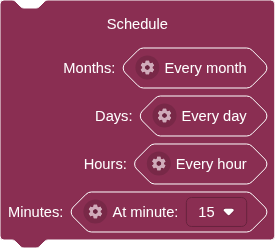
Any Data
The simplest trigger - runs your Action every single time ANY new data arrives at a feed, regardless of what the value is.
Data Matching
The most common trigger type - runs your Action immediately whenever new data arrives at a feed that meets your specified condition.
Data Match Changing
Advanced trigger that watches for changes in how your feed data matches a condition over time.
Compare Numbers Matcher
Create smart triggers based on numerical sensor data and thresholds.
Compare Text Matcher
Compare text-based feed data using smart text matching.
Logic
Conditional
Create smart decision-making logic for your IoT Actions using if/then/else statements.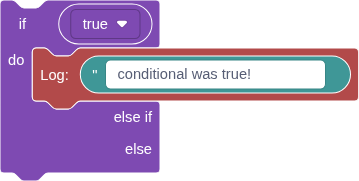
Logic Operation
Combine multiple conditions to create sophisticated decision logic in your Actions.
Boolean
A simple true or false value for building logic conditions and controlling digital outputs.
Negate
Flip any condition to its opposite - turns true into false and false into true.
Compare Numbers
Build mathematical conditions by comparing any two numerical values in your Action logic.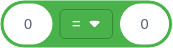
Text Compare
Compare two text values using different comparison operations.
Math
Number
Enter any numerical value for use in your IoT Actions - whole numbers, decimals, positive, or negative.
Compare Numbers
Build mathematical conditions by comparing any two numerical values in your Action logic.
Arithmetic
Perform mathematical calculations using sensor data, feed values, or any numbers in your Actions.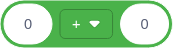
Round/Floor/Ceiling
Convert decimal numbers to whole numbers using different rounding strategies.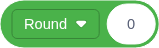
Constrain
Keep any number within specified minimum and maximum boundaries.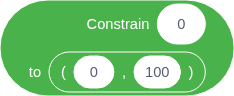
Map
Transform sensor readings and data values by scaling them from one number range to another.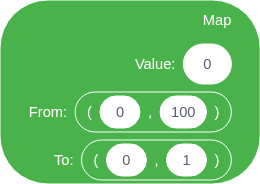
Text
Text
Enter any text content for use in your Actions - words, phrases, device commands, or messages.
Multiline Text
Create formatted text content with multiple lines, paragraphs, and line breaks.
Text Template
Create dynamic, personalized messages by combining static text with live data from your IoT system.
Join Text
Join two pieces of text into one combined string.
Text Compare
Compare two text values using different comparison operations.
Variables
Set Variable
Store a value in a named variable for later use in your Action.
Get Variable
Retrieve the value stored in a variable that was previously set using a Set Variable block.
Feeds
Get Feed Value
Resolves to the last value of this feed or component, always a String.
Set Feed Value
Publish the specified data point to the specified Feed.
Notifications
Email
Sends an email with given subject and body templates.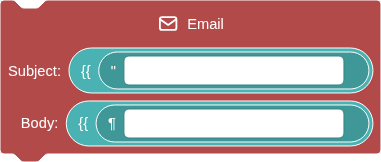
SMS
Sends a text message with a given body template.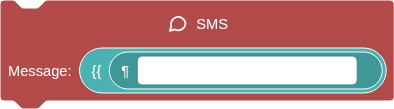
Webhook
Sends an HTTP POST request to a given URL, with a BODY template using FEED data.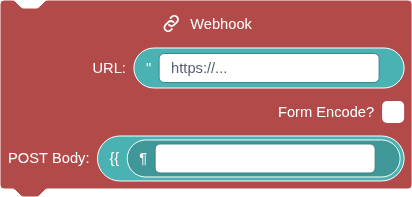
Weather
Weather
Fetch the current or forecast weather conditions at the specified location.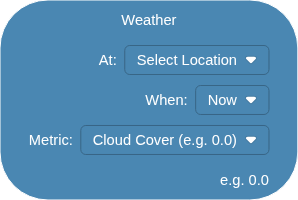
Air Quality
Air Quality
Fetch current or forecast air quality conditions at the specified location using Open-Meteo Air Quality API.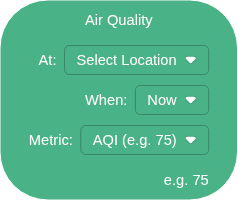
Utility
Log
Executes the block you plug in and reveals its final value or error message.
Advanced
JSONPath Query
Extract specific values from JSON data using JSONPath query syntax.
Uncategorized
These blocks do not appear in the toolbox directly. They may appear in gear menus, as sub-blocks, etc.
Root
The Root block is the foundation of every Adafruit IO Action.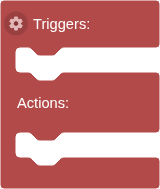
Range
A range of numbers specified by a lower and upper bound.
Delay Settings
Causes a delay between this Action's trigger and its execution.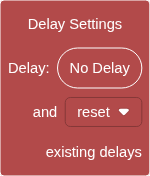
Delay Seconds
Set a delay between 1 and 59 seconds (or 0 for no delay).
No Delay
No delay: Actions run immediately when triggered.
Delay Minutes
Set a delay between 1 and 59 minutes.
Delay Hours
Set a delay between 1 and 23 hours.
Delay Days
1 day is the maximum delay available.
Some Months
Run during particular months.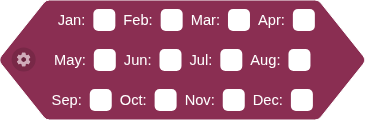
One Month
Runs during a particular month.
Month Settings
How would you like to specify the months portion of your schedule?
Every X Months
Runs every X months, between months Y and Z.
All Months
Runs during all months.
One Minute
Runs at a particular minute of the hour.
Minute Settings
How would you like to specify minutes of the hour for your schedule?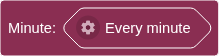
Every X Minutes
Runs every X minutes, between minutes Y and Z.
All Minutes
Runs every minute of the hour.
One Hour
Runs during a particular hour of the day.
Hour Settings
How would you like to specify hours of the day for your schedule?
Every X Hours
Runs every X hours, between hours Y and Z.
All Hours
Runs during all hours of the day.
One Day
Runs during a particular day of the month.
Every X Days
Runs every X days, between days Y and Z.
Days of the Week
Runs during certain days of the week.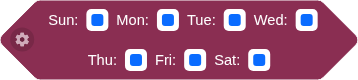
Day Settings
How would you like to specify days of the month for your schedule?
All Days
Runs during every day of the month.